If your website runs on WordPress, Drupal, Joomla, or a custom PHP application, this week’s security news affects you. Two critical vulnerabilities in the PHP engine itself, nicknamed PHP2Shell, were disclosed on October 21, 2026. Patches are already out. The question is whether your server has them.
At Cinovic, we’re advising every client to treat this as a priority update. Here is what happened and what to do.
What is PHP2Shell?
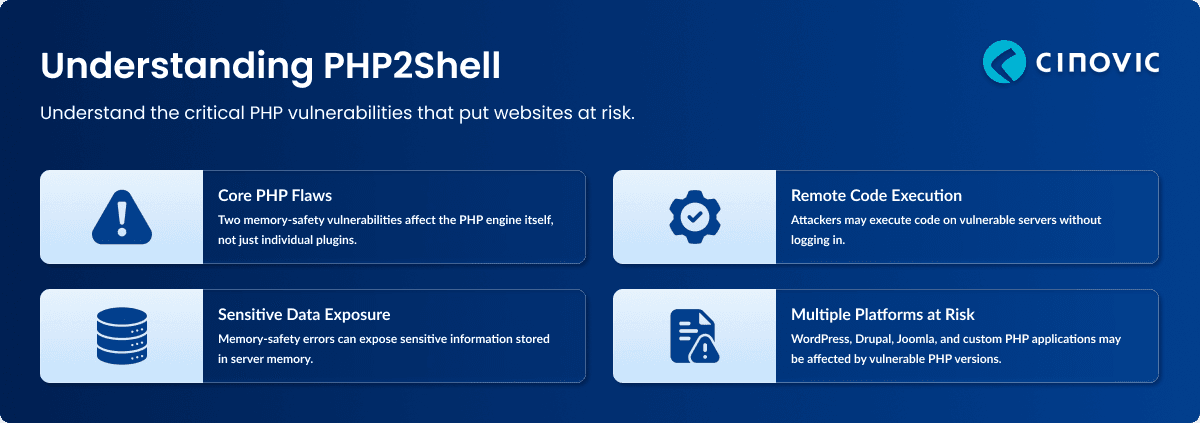
PHP2Shell is the name for a group of memory-safety bugs in core PHP, tracked as CVE-2026-109618 and CVE-2026-109619. According to Wiz Research, the flaws can let an attacker run code on a server without logging in (remote code execution) or read sensitive data from server memory.
The key point is where the bug lives. It isn’t a bad plugin or a weak password. The weakness is in the language runtime, so even well-written applications can be exposed.
Why this one is different
Most vulnerabilities depend on one app, plugin or theme. PHP2Shell sits underneath all of them. Wiz says PHP powers about 70% of websites and that releases going back to PHP 5.4 are affected by at least one of the issues. Researchers demonstrated attacks on the default container images of WordPress, Drupal, and Joomla, but stressed these were only examples.
How does it work? (the safe, simple version)
The bugs relate to what happens when PHP crashes mid-request, especially when it runs out of memory. In affected versions, cleanup after that crash is incomplete, and some internal pointers keep referring to memory that was already released. A later request handled by the same worker can end up trusting that stale pointer.
Think of a hotel that checks a guest out but leaves their room key active. The next person to enter may find the room rearranged by someone else. In PHP’s case, that “rearranging” can become code execution or data leakage.
Akamai’s analysis adds that a feature enabled by default, session upload progress, is part of one attack path. Ordinary file-upload endpoints can therefore be relevant, even ones that ignore the uploaded file.
The bigger story: AI lowers the cost of exploitation
The flaws had reportedly existed for years. What changed is effort. Wiz says building a working exploit meant chaining several bugs and tuning them to each server’s memory layout, work that once took expert teams months. With frontier AI models, one researcher did it in about a week.
The lesson is a change in assumptions. “It’s too complicated for attackers” is a weaker defence than before, so the gap between a patch and active exploitation may keep shrinking. Our guide to website security best practices covers building a faster patch routine.
Are you affected?
Assume yes if any of these apply:
-
You use WordPress, Drupal, Joomla, MediaWiki, or a PHP framework such as Laravel.
-
Your PHP is older than the fixed releases. Akamai lists these as 8.5.12, 8.4.27, 8.3.36, and 8.2.35. Verify them on the official PHP downloads page.
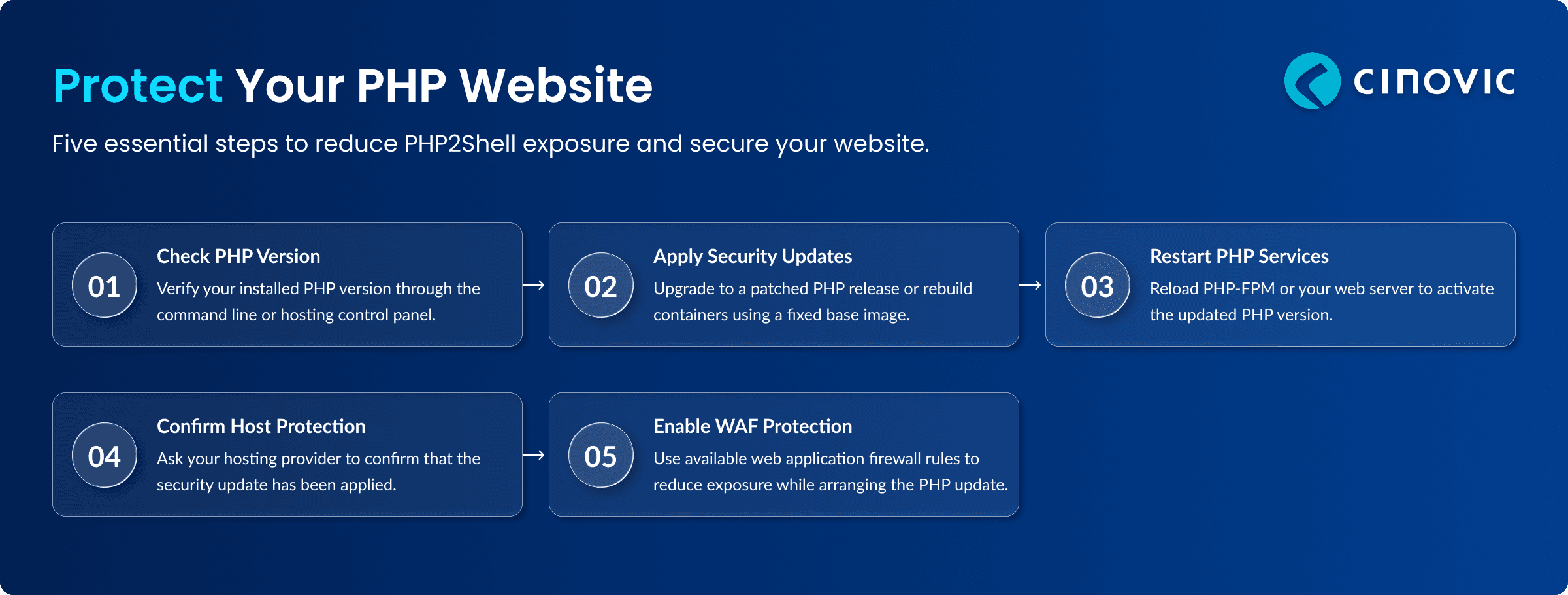
What to do right now: 5-step checklist
-
Check your PHP version. Run php -v or look in your hosting control panel.
-
Update to a patched release. Use your Linux distribution’s security update, or rebuild containers on a fixed base image.
-
Restart PHP. Reload PHP-FPM or your web server so the new version is actually running.
-
Ask your host. On shared or managed hosting, get written confirmation. If you’re on our managed hosting, we handle this for you.
-
Enable edge protection. Cloudflare, Fastly, and Google Cloud published guidance and protections (see Cloudflare’s PHP2Shell WAF rules). These buy time but don’t replace patching.
Warning signs to watch for
Because these bugs act below your application, normal app logs may show little. Wiz suggests watching for unusual multipart (file upload) requests followed by memory-limit errors or repeated HTTP 500 responses, oddly large PHPSESSID cookies in responses, and unexplained PHP worker restarts. If you see these, investigate even after patching, because a compromise may predate your update. Our website security audit can help.
If you can’t patch today
Reduce exposure while you schedule the update: put the site behind a WAF using the vendor’s PHP2Shell rules, rate-limit public upload endpoints, and cap request sizes. Disabling single PHP features is not a complete fix, because researchers describe other variants. Only the PHP update fully remediates the issue.
Case Study: Building for Memory Safety From the Start
PHP2Shell is a memory-safety problem at the language-runtime level, which is why no amount of application-level care could fully prevent it. It’s also a good reminder of why engineering choices made early matter. When Cinovic rebuilt a payment gateway core in Rust for a financial services client, one of the outcomes was fewer concurrency-related incidents, because compile-time safety checks eliminated a class of bugs common in the previous stack. The same project delivered lower authorisation latency and lower infrastructure cost per transaction at scale.
Key takeaways